Data moves through files and manual tasks
Contacts, order states, and attributes arrive late across systems.

洗練されたREST APIとリアルタイムWebhooksでメール配信を自動化し、単一契約内で1〜25個の独立したクライアント環境を統合管理。
POST /api/v1/subscribers
Authorization: Bearer ••••••••

{
  "workspace": "client-a",
  "role": "campaign_manager",
  "event": "subscriber.created"
}代理店や複数事業を展開する企業には、独立したデータ空間、詳細な権限管理、個別APIキーによる厳格な分離が不可欠です。
Contacts, order states, and attributes arrive late across systems.
Bounce, click, and subscriber status do not return to the CRM.
The business cannot determine who viewed, changed, or launched a campaign.
Agencies struggle to separate workspaces, assets, and permissions by client.
API integration, webhooks, subusers, and roles work together, but none replaces another.
Connect supported contacts, lists, campaigns, and resources to the source system.
Send the state required for a CRM or application to continue its workflow.
Avoid shared passwords and assign each user to the appropriate workspace.
Separate viewing, creation, approval, sending, and sensitive configuration access.
Decision makers need visibility into data flow, access rights, and traceability together.
Use CSV files and repeated scheduled tasks.
Sync data through the REST API as part of the workflow.
Check reports manually.
Send status back to the source system by webhook.
Share login credentials.
Give every member a separate subuser.
Anyone can change and send.
Use roles to limit actions by responsibility.
The source of a change is unclear.
Organize access control by user and workspace.
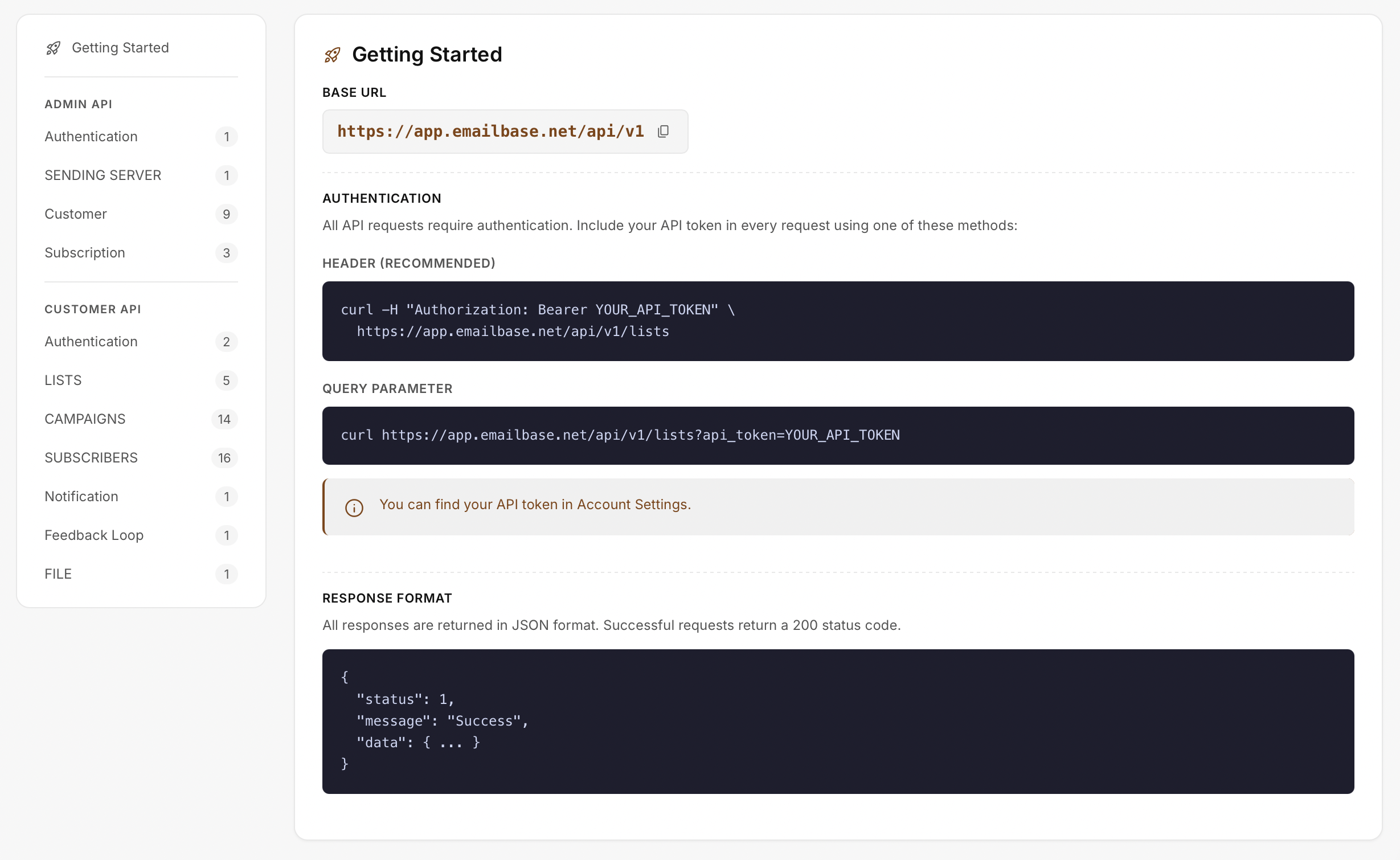
The API documentation shows the base URL, authentication method, and response structure. Subuser and role management remain separate to avoid confusing integration with access control.
Integration base URL
Bearer token in the request header
Returned response format
Track successful requests, authentication failures, and data errors by endpoint.
Measure from event creation until the receiving system completes processing.
Review users, roles, and workspace access that are still required.
Define data scope, permissions, and error handling before issuing credentials.
Your system usually calls an API to read or write; eMailBase sends a webhook after an event occurs.
Not necessarily. A subuser is an identity; permissions and workspace access must follow the organization model.
Only an appropriate technical administrator. Store tokens securely, limit scope, and revoke them when no longer needed.
Start with one endpoint, one webhook, and one test role to validate the full lifecycle.