Who controls the sending layer?
Decide between platform-managed delivery and provider accounts your business owns.

Mailchimp manages both the application and the sending layer. eMailBase manages the application while letting a business connect its own sending accounts. The choice is about managed simplicity versus operational control.
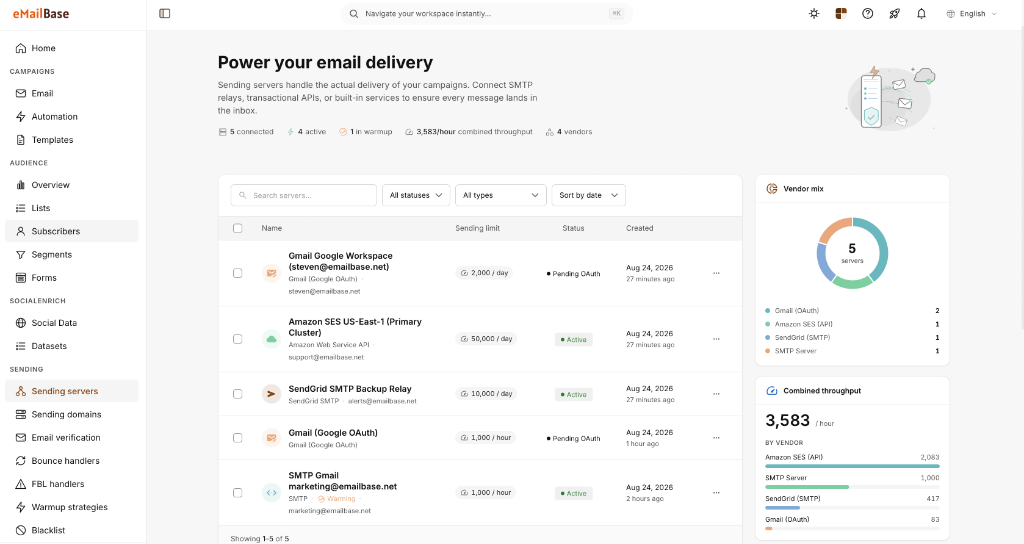
The platforms bundle cost, infrastructure control, and incident responsibility differently. Evaluate them with a real journey and your expected contact and sending volume.
Decide between platform-managed delivery and provider accounts your business owns.
Compare stored contacts, send allowances, add-ons, and direct provider charges.
Review roles, approval steps, and dependencies on external integrations.
Contacts can be exported; journeys, integrations, and history need separate review.
The table focuses on differences that directly affect daily work and total operating cost.
Mailchimp · All-in-one platform
eMailBase · BYO SaaS
A SaaS product in which Mailchimp manages both the application and sending infrastructure.
A SaaS application connected to sending-provider accounts your business controls.
Mailchimp operates the sending layer; IP options and limits depend on current plan terms and eligibility.
Connect multiple providers and manage credentials, quotas, and reputation per account.
Cost depends on plan, stored contacts, send allowances, and add-ons.
Workspace pricing is separated from direct sending-provider charges.
Customer Journeys use triggers from audiences, campaigns, integrations, and API activity.
Multi-branch canvas uses conditions, delays, API events, and email behavior.
Audiences, tags, segments, and customer profiles live in the Mailchimp ecosystem.
Profiles, tags, and events are shared across segmentation, automation, and reporting.
Roles, seats, and access levels depend on the account plan.
Sub-users, roles, and scoped API keys are managed per workspace.
Marketing API, webhooks, and a broad integration ecosystem.
REST API and webhooks for contact, event, campaign, and workflow synchronization.
Mailchimp operates the sending infrastructure and provides domain-authentication guidance.
Your business retains provider accounts; eMailBase centralizes DNS, bounce, and provider status.
Supported data can be exported; journeys and integrations commonly need rebuilding.
Data can be exported and provider accounts remain yours; automations still require migration mapping.
Mailchimp information was checked against Mailchimp Help Center, developer documentation. Features, limits, and prices can change; verify them before making a decision.
Choose based on how much you want the platform to manage and how much infrastructure control your team needs to retain.
Timing depends on data volume, active automations, integrations, and your approval process.
Confirm owners, contacts, consent, suppressions, and active journeys.
Configure sending providers, access permissions, and required DNS records.
Move one priority workflow; verify triggers, exit rules, and webhooks.
Increase volume only after bounce, unsubscribe, and reporting data are stable.
Account for migration effort, historical data, and workflows tied to the existing ecosystem.
Mailchimp bundles the application and sending infrastructure. eMailBase provides the SaaS application while allowing your business to connect and manage separate sending-provider accounts.
Do not assume so. Export supported data, diagram triggers, branches, and delays, then rebuild and test each journey on the destination platform.
Use the same contact volume, send volume, user count, and add-on requirements, then include integration and operating effort.
Start with one bounded journey and a small audience. Increase traffic only after delivery events, unsubscribes, and reporting have been reconciled.
Connect one sending provider, import a small dataset, and compare workflows, bounce handling, and reporting before making a long-term decision.